Screenshots
Visual overview of Periodix-Planner's features and interface.
Time Budgeting

Allocate and track time across categories with hierarchical tracking from yearly down to daily periods. Learn more →
Allocation Editor
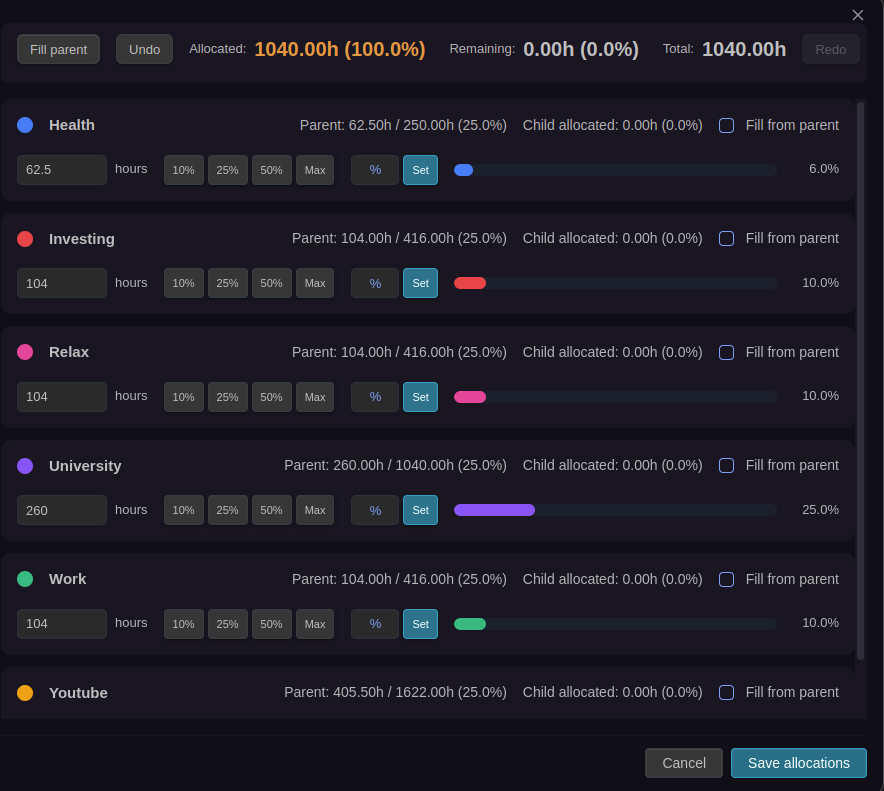
Interactive modal for editing time allocations with drag-to-adjust bars, quick-fill buttons, and keyboard shortcuts. Learn more →
Time Budget Blocks
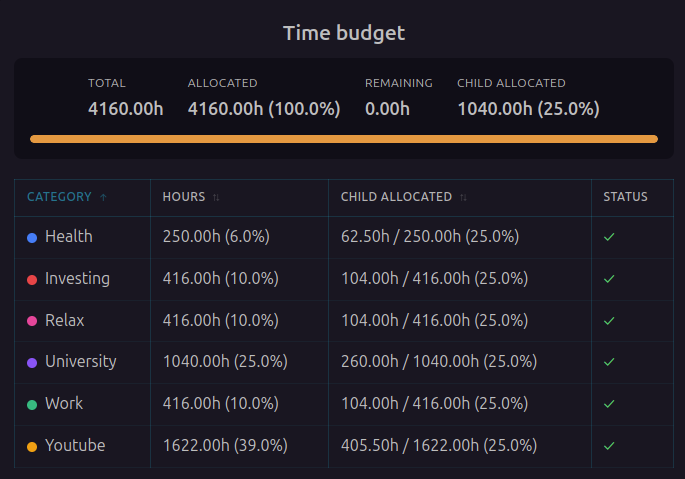
Embed time budget visualizations directly in your notes using code blocks. Learn more →
Visual Statistics
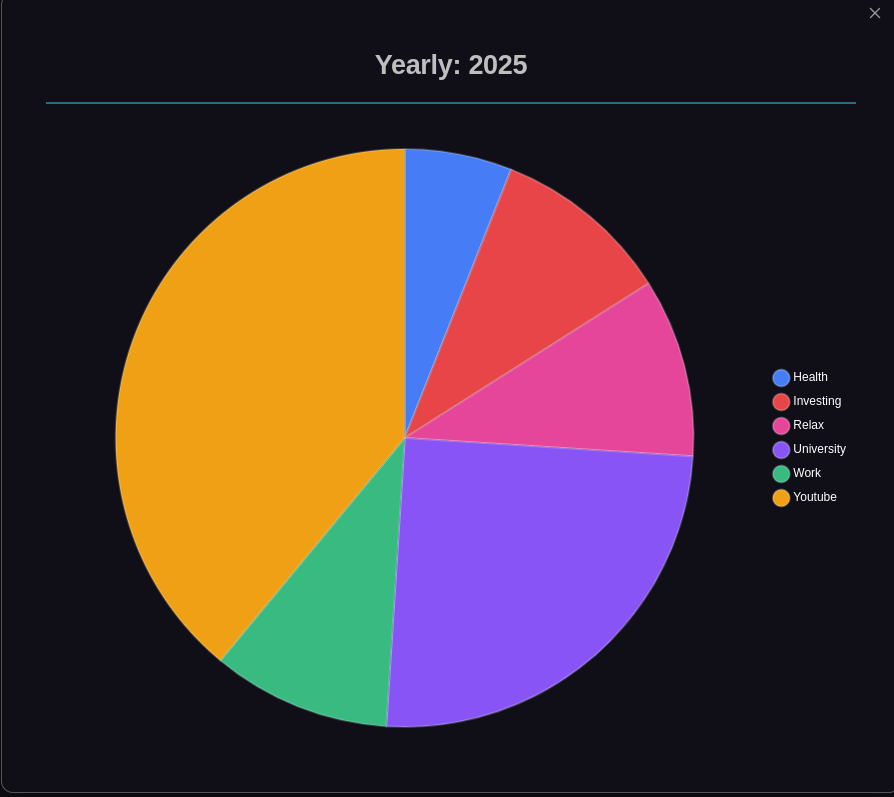
Get visual insights into your time allocation with interactive pie charts and detailed tables. Learn more →
Note Generation
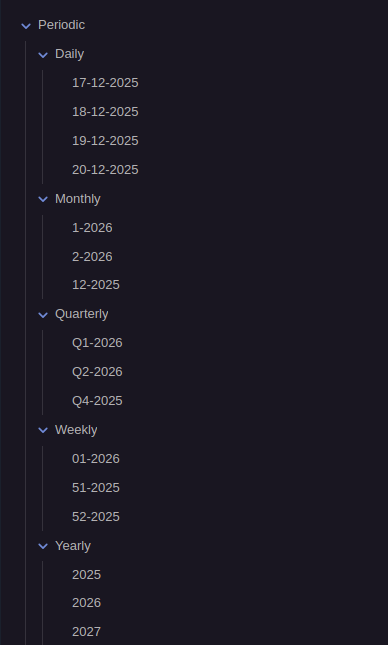
Automatic periodic note generation that stays one step ahead by creating the next period's note in advance. Learn more →
Note Interconnection
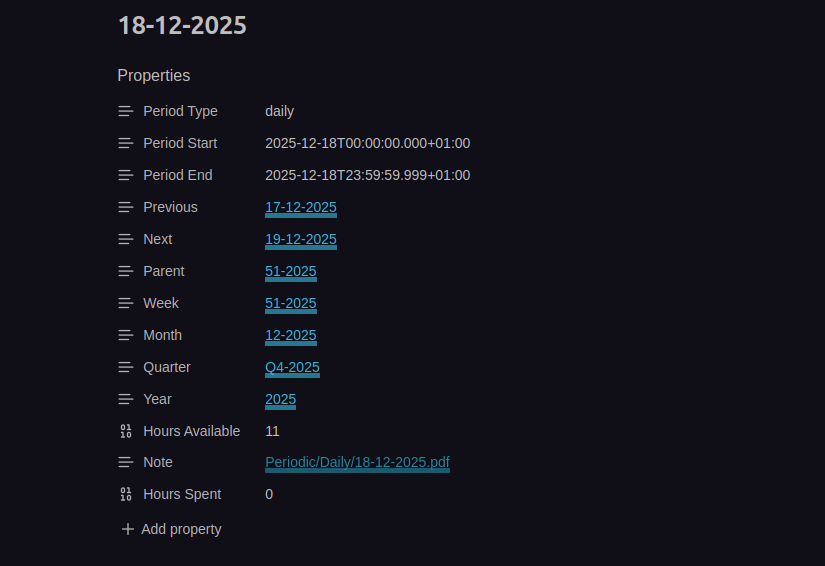
All periodic notes are intelligently linked through frontmatter properties, creating a navigable web of time. Learn more →
Navigation
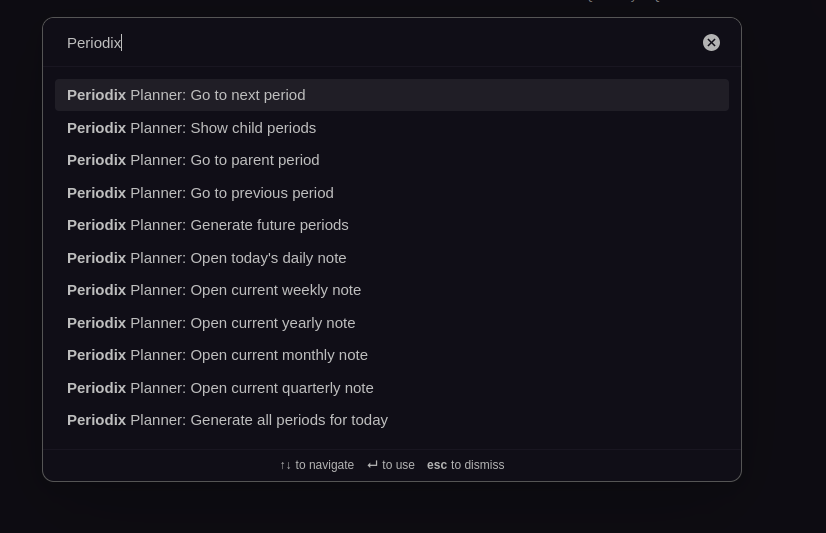
Quick commands to navigate between periods with keyboard shortcuts and command palette integration. Learn more →
Categories
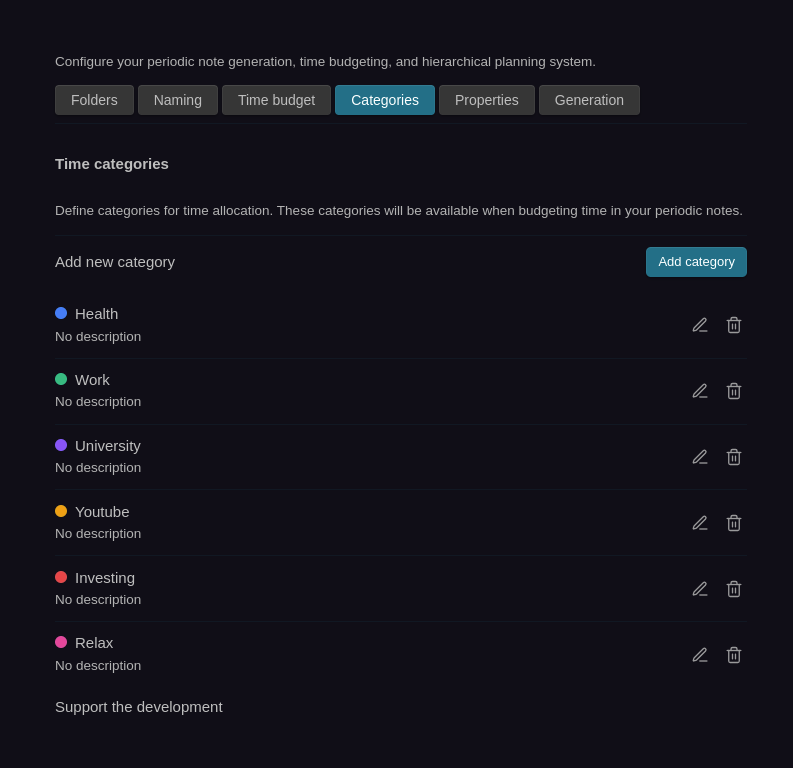
Organize your time investments with custom categories and color coding for visual identification. Learn more →
Period Children
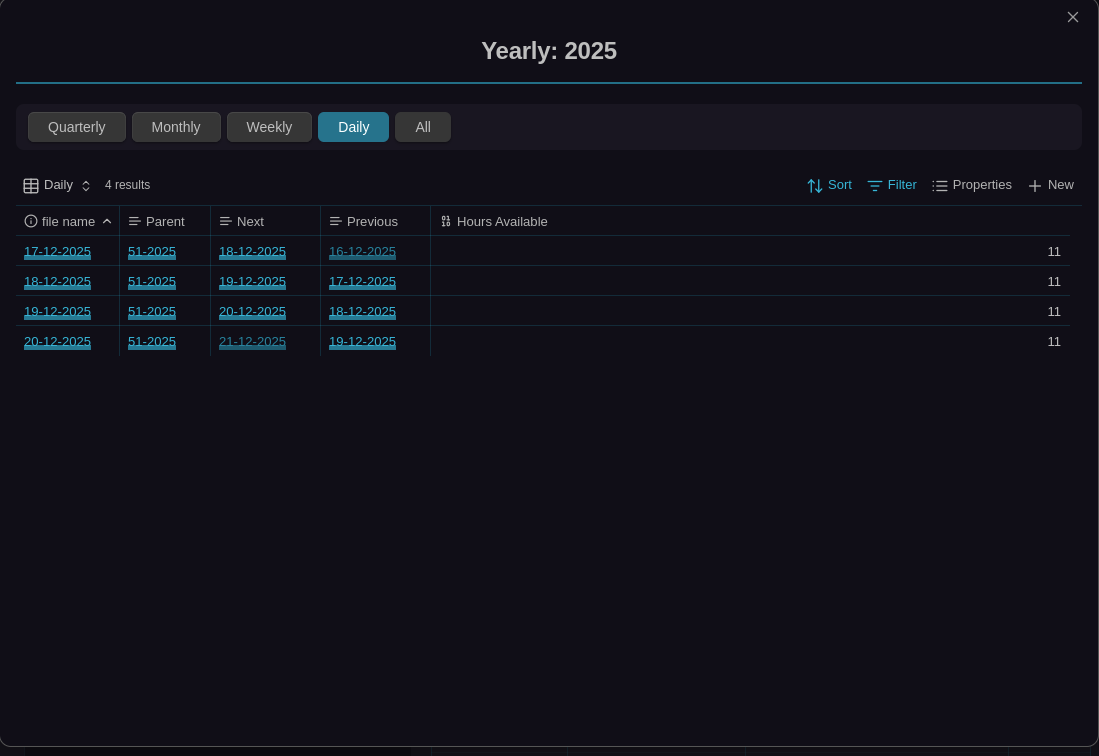
View all child periods for a given period - see all days in a week, weeks in a month, months in a quarter, and quarters in a year. Learn more →
ActivityWatch Integration
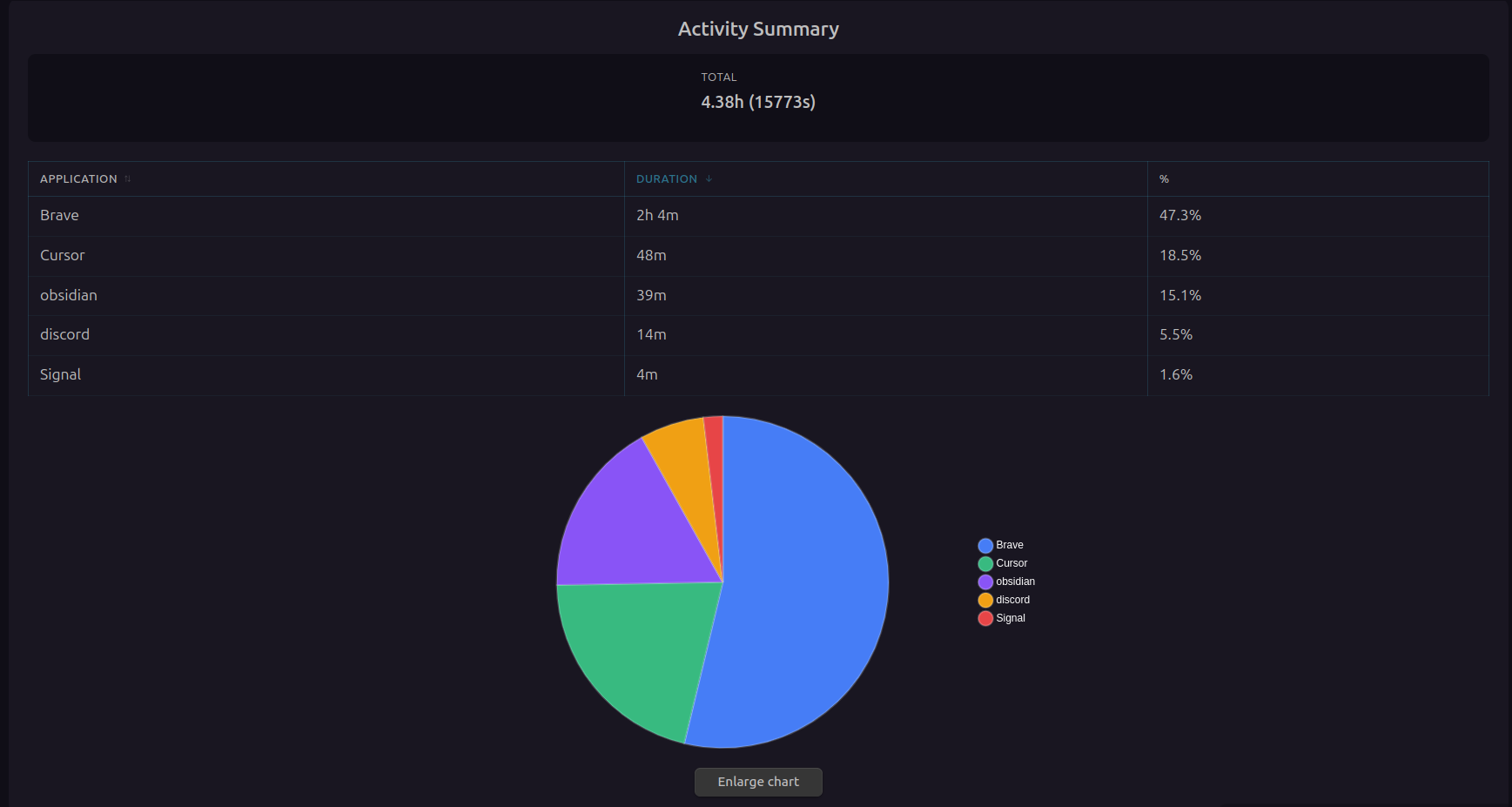
Automatically track and visualize your computer usage in daily notes with ActivityWatch integration. Learn more →
Bases Integration
Sidebar View
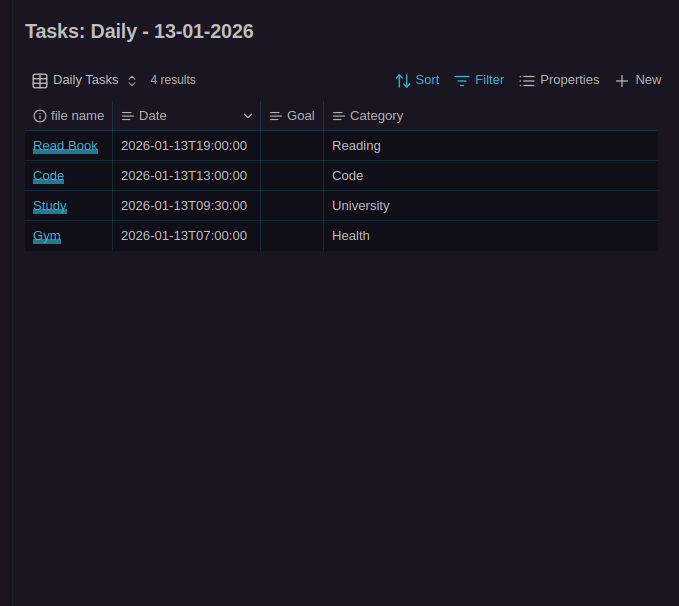
Filter and view tasks by period intervals with the persistent Period Tasks sidebar that automatically updates based on the current periodic note. Learn more →
Inline Bases View
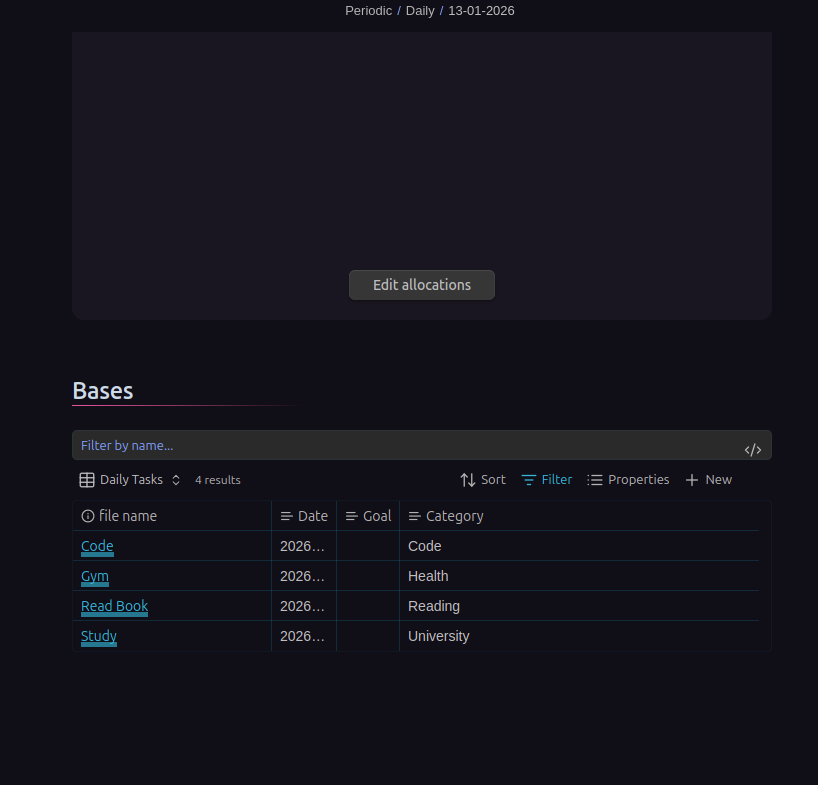
Automatically embed Bases task filtering views in newly generated periodic notes for seamless task management. Learn more →