Event Skipping
Mark events as skipped without deleting them.
Why Skip?
Skipping preserves files and history while hiding events from calendar view. Useful for:
- Maintaining recurring series integrity
- Tracking planned vs actual events
- Temporary removal with option to restore
Common scenarios:
- Holiday week: Skip all recurring meetings for that week, series continues after
- Vacation period: Skip two weeks of events, they resume when you return
- Cancelled meetings: Skip specific instances without breaking the recurring pattern
How to Skip
Individual: Right-click event → "Skip Event"
Batch: Enter selection mode → Select events → Click "Skip" button
Viewing and Restoring
View skipped: Calendar menu → "View Skipped Events"
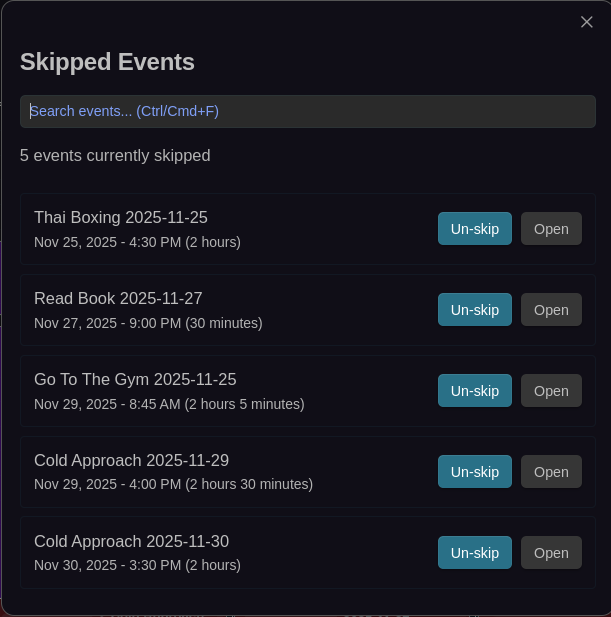
View all skipped events with search functionality and quick un-skip/open actions
The dialog shows all skipped events with options to restore them.
Restore: Open dialog → Click "Restore" next to event(s)
Technical
Skipped events have Skipped: true in frontmatter (automatically managed). Files remain in vault, just hidden from calendar view. Fully reversible with undo support.