Event Previews
See note content and navigate links without opening files.
Hover Previews
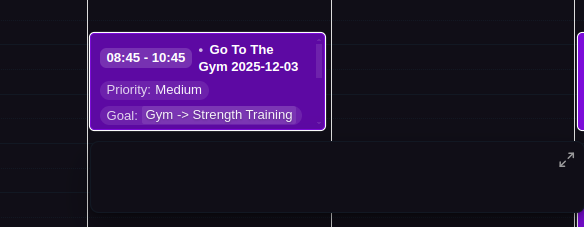
Quick hover preview showing event time, title, and configured display properties
- Enable in Calendar Settings (UI) → "Enable event preview"
- Hover over any event to see a quick preview
- Shows note title and first few lines of content
Tooltip Note Preview
Event hover tooltips include a preview of the note's body content. The first three non-empty lines of the note (after frontmatter) are appended to the tooltip, separated by a horizontal rule. The content is loaded lazily on the first hover over each event to keep the calendar responsive.
Enlarged Modal Preview
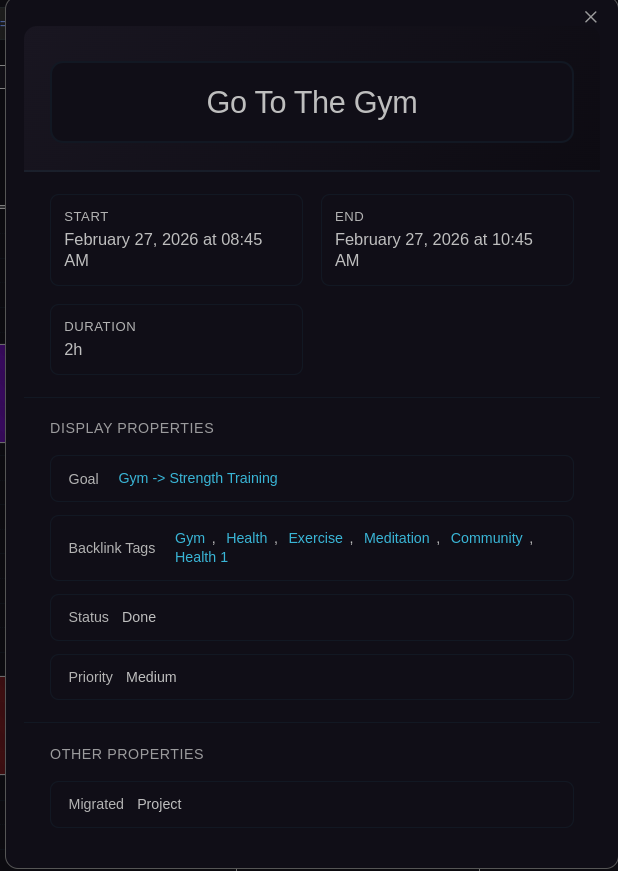
Expanded modal view showing complete event details, properties, and clickable links
Access: Shift+Click event, or right-click → "Enlarge"
Shows:
- Complete frontmatter with all properties
- Clickable wikilinks, tags, and URLs in frontmatter
Special features:
- Recurring instances (physical): Source button to navigate to source event in calendar, or right-click → "Go to source" (navigates to source event in week view)
- Virtual events: Shows the source event configuration, right-click → "Go to source" to navigate to source event in calendar
- Source events: Instance dropdown to view all generated instances with past filter
Opening Event Files
Right-click on any event to access file operations:
- Open file: Opens the event file in the current workspace tab
- Open file in new window: Opens the event file in a detached popout window, making it easier to edit complex properties like checkboxes and list properties directly in the markdown editor while keeping the calendar view visible
Quick Time Logging
Right-click on timed events to quickly update start/end times:
- Fill start time from current time: Sets start time to now (instant logging of actual start)
- Fill end time from current time: Sets end time to now (instant logging of actual completion)
- Fill start time from previous event: Chains events by matching previous event's end time
- Fill end time from next event: Adjusts boundaries by matching next event's start time
Perfect for logging real execution times without opening the edit modal. All operations are fully undoable.
Clickable Frontmatter
All frontmatter properties in enlarged preview are interactive:
---
Project: [[Alpha Project]]        # Click to navigate
Tags: [work, meeting]             # Click tags to search
VideoCall: https://zoom.us/...    # Click to open in browser
---
Works with wikilinks, tags, URLs, and file paths.